What is Sort Words?
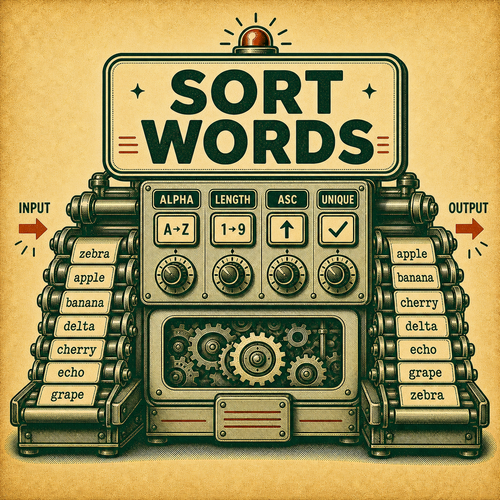
Sort Words is a text tool that splits text into words and sorts them. It helps when you need to reorganize or reduce pasted text without moving every item manually.
The mode works on a specific unit: lines, words, sentences, paragraphs, or symbols. Choosing the correct unit is the most important step. A list of values usually works best as lines. A block of prose may need sentences or paragraphs. A bag of loose terms usually works best as words.
The tool is literal. It does not interpret the meaning of the content, correct grammar, validate data, or upload files. It splits the text according to the mode unit, applies the sort or filter operation, and shows plain-text output.
Example: banana apple cherry can become apple banana cherry. Before copying a long output, check whether the mode split matches the real shape of your text.
This kind of tool is especially helpful when text comes from several sources. You can sort values before pasting into a spreadsheet, filter lines containing a term, clean repeated lists, review blocks of notes, or prepare classroom examples. The preview gives you a chance to adjust before copying.
It is also useful when the next step expects text in a more predictable order. Alphabetized items are easier to scan. Length sorting can reveal unusually long entries. Filtering can separate useful lines from noise. Duplicate removal can make a list easier to compare. The tool does not decide what is important, but it gives you a controlled way to reshape the text before the next task.
Because the output is plain text, it works well as a bridge between messy copy and another app. You can paste from notes, logs, forms, documents, emails, classroom material, or simple data exports, then copy the cleaned result into the place where the final work happens.
| Unit | Best for | Watch for |
|---|---|---|
| Lines | Lists, rows, logs, and separated notes. | Blank lines or extra spaces. |
| Words | Loose terms and labels. | Punctuation attached to words. |
| Sentences | Draft prose and writing examples. | Abbreviations and punctuation. |
| Paragraphs | Blocks separated by blank lines. | Paragraphs without clear separators. |