Search

Search tools, categories, jobs, and tasks

© 2026 Every Digital Tools. All rights reserved.

Discover AI Tools

Discover Digital Tools

Browse

AI Tools

Digital Tools

Jobs

Tasks

Leaderboard

About

About Us

Blog

FAQ

Legal

Terms and Conditions

Privacy Policy

Affiliate Disclosure

Homedigital tools
Duplicate Words in Text

Duplicate Words in Text

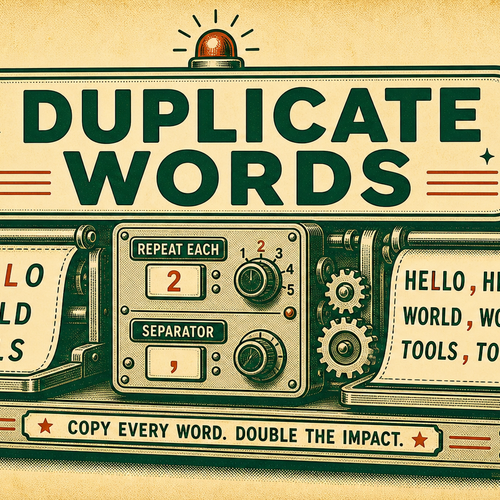
Repeat every word in pasted text a chosen number of times. Choose a separator such as a space, comma, dash, or newline.

Based on 0 Reviews
0 Views

Overview

What is Duplicate Words in Text?

Duplicate Words in Text is a focused Word & Sentence Editing page for one practical plain-text transformation task. It opens the shared text transform engine directly in Duplicate Words in Text mode, so you can paste text, adjust the visible options, and copy the formatted output without choosing the mode manually first.

The page is useful when text needs a specific mechanical change before it moves into notes, documentation, spreadsheets, lessons, mockups, support replies, or development examples. It works with pasted text and returns a plain-text result that can be copied, downloaded as a .txt file, or reused as the next input.

This tool is intentionally mechanical. It does not write new content, check grammar, translate, store a history, upload files, or decide what your text should mean. It applies the selected Duplicate Words in Text settings to the input and shows the result for review.

Use Duplicate Words in Text when the text change is specific and repeatable. For broader cleanup, combine it with related tools such as Trim Text, Unwrap Lines, Split Text, Join Text, Line Tools, Text Cleaner, Find & Replace, Word Counter, and Character Counter.

How Duplicate Words in Text works

Duplicate Words in Text uses the Word & Sentence Editing transform engine with mode id `duplicateWords`. The input area accepts pasted text up to the engine limit, and the output is generated from the current options. The output area includes copy, download, and use-output-as-input controls.

Duplicate Words matches every non-whitespace token. Repeat count is clamped to at least 1. Each token is repeated with the selected separator between copies.

The engine also includes sample input, paste, clear, input statistics, output statistics, and an output cap safeguard. If a transform creates very large output, the page can cap it to protect the browser experience.

The important detail is that Duplicate Words in Text does not infer hidden rules. It follows the visible settings. When the source text contains unusual spacing, symbols, mixed line endings, tabs, or sensitive alignment, review the output before using it in final work.

This makes the page predictable for repeat work. Once the setting produces the correct output on a short sample, you can paste a longer version and expect the same kind of transformation. If the output looks surprising, reduce the sample, inspect the option values, and try again before processing important text.

Duplicate Words in Text examples

Examples are most useful when they match the text you actually paste. Try a short sample first, then increase the amount of text once the settings produce the shape you want.

For operational work, keep a copy of the original text nearby until you verify the output. For classroom or documentation work, explain the setting used so another person can repeat the same result.

When sharing the result, include the setting names if the formatting matters. A small note like “width 40,” “pad with zero,” “use tabs,” or “break long words” makes the output easier to understand and recreate later.

If the output will move into a CMS, spreadsheet, code sample, lesson, or published document, paste it into that destination once and confirm the spacing, line breaks, tabs, and special characters still look right there.

Use caseSettingResult
Double wordsRepeat 2, spacehello becomes hello hello
Comma separatorCommaCopies are comma-separated
Newline separatorNewlineEach copy can appear on its own line
Punctuation tokenAny settingPunctuation attached to a word repeats with it

Common uses for Duplicate Words in Text

Duplicate Words in Text helps when copied or drafted text has the right source text but the wrong shape. Common sources include spreadsheet exports, copied tables, command examples, classroom worksheets, CMS fields, issue comments, readme snippets, product labels, and simple data samples.

The most common workflow is direct: paste the source text, set Repeat each word, Separator, inspect the output, then copy or download the result. If another formatting pass is needed, use the output as input and continue with another mode.

Because the transform is literal, it is helpful for repetitive layout edits that would be slow and error-prone by hand. It keeps the original input visible until you clear or replace it, so you can compare before and after while choosing settings.

For best results, decide what the text needs to become before picking the settings. A plain-text table may need fixed-width spacing, a code-adjacent example may need exact tabs, a note may need readable wrapping, and a worksheet may need visible dots or dashes. Matching the option to the destination keeps the output easier to scan.

If several people will review the result, include a short note about the setting used. Values such as target width, shift amount, replacement character, mask symbol, repeat count, or match scope make the output easier to reproduce later.

Use caseSettingResult
Double wordsRepeat 2, spacehello becomes hello hello
Comma separatorCommaCopies are comma-separated
Newline separatorNewlineEach copy can appear on its own line
Punctuation tokenAny settingPunctuation attached to a word repeats with it

Related text tools

Frequently Asked Questions

Who Uses Duplicate Words in Text

WriterEditorDeveloperTeacherResearcherContent Manager

Best Tasks for Duplicate Words in Text

Format TextClean TextPrepare DraftsEdit Plain TextReview OutputTransform Text

Promote Duplicate Words in Text

Featured on Every Digital Tools
E
everydigitaltoolsteam
Loading
@everydigitaltoolsteam

The official account for Every Digital Tools. We curate the best AI and digital tools for you.

No followers yet
5 Tools
View Profile
Transform mode

Repeat every word a set number of times.

Repeat each word
Separator
Separator
30 → 60 words
Input
161 / 50,000· 30 words · 3 lines
Output
322 chars · 3 lines